
Alternative à AniEraser pour supprimer du texte vidéo
Based on linked official documentation · Updated · Editorial methodology
Looking for an AniEraser alternative after the platform move? First separate an account migration from a new editing need. For existing work, start with the official migration route. For a saved video with burned-in subtitles, this page also offers an automatic browser workflow.
Published byRemoveSubs· Les fonctionnalités du produit ont été examinées par rapport à la documentation officielle associée.2026-09-08· Les recommandations reflètent l'adaptation au flux de travail, et non un classement de qualité ou de vitesse.
Keep your existing work, then choose the removal workflow
If your priority is access to previous purchases or saved work, resolve that with Media.io first. Consider our tool when you have the source video locally and want automatic text removal without installing an app. It does not import AniEraser accounts, balances or projects.
Swipe the table to compare both workflows →
| Your requirement | AniEraser / Media.io | RemoveSubs |
|---|---|---|
| Continue after the migration | Official notice directs AniEraser users to the Media.io web platform. Source ↗ | A separate browser service with its own account and credits. |
| Retain web purchases | The notice retains web memberships and feature packs with their original expiry. Source ↗ | Existing competitor purchases do not transfer here. |
| Use the old app | The notice announces a gradual app phase-out. Source ↗ | No native app; choose a local video in your browser. |
What changed for AniEraser users
The September 4, 2026 notice distinguishes app benefits from web benefits and gives web users until October 10, 2026 to download existing assets. Back up the videos you need before evaluating a replacement. Keep a copy of the original source as well as any completed output so a future edit does not depend on an old project link.
AniEraser official platform upgrade notice — September 4, 2026 ↗
Choose a replacement for the task you actually have
For an editable project, remove the caption object in its original editor and export again. For a saved video, switch subtitles off in a player first. If the words disappear, a subtitle-track tool is the appropriate next step. If they remain in the picture, automatic repair can estimate the area covered by the lettering. These tasks require different kinds of control.
Sous-titres incrustés ou piste séparée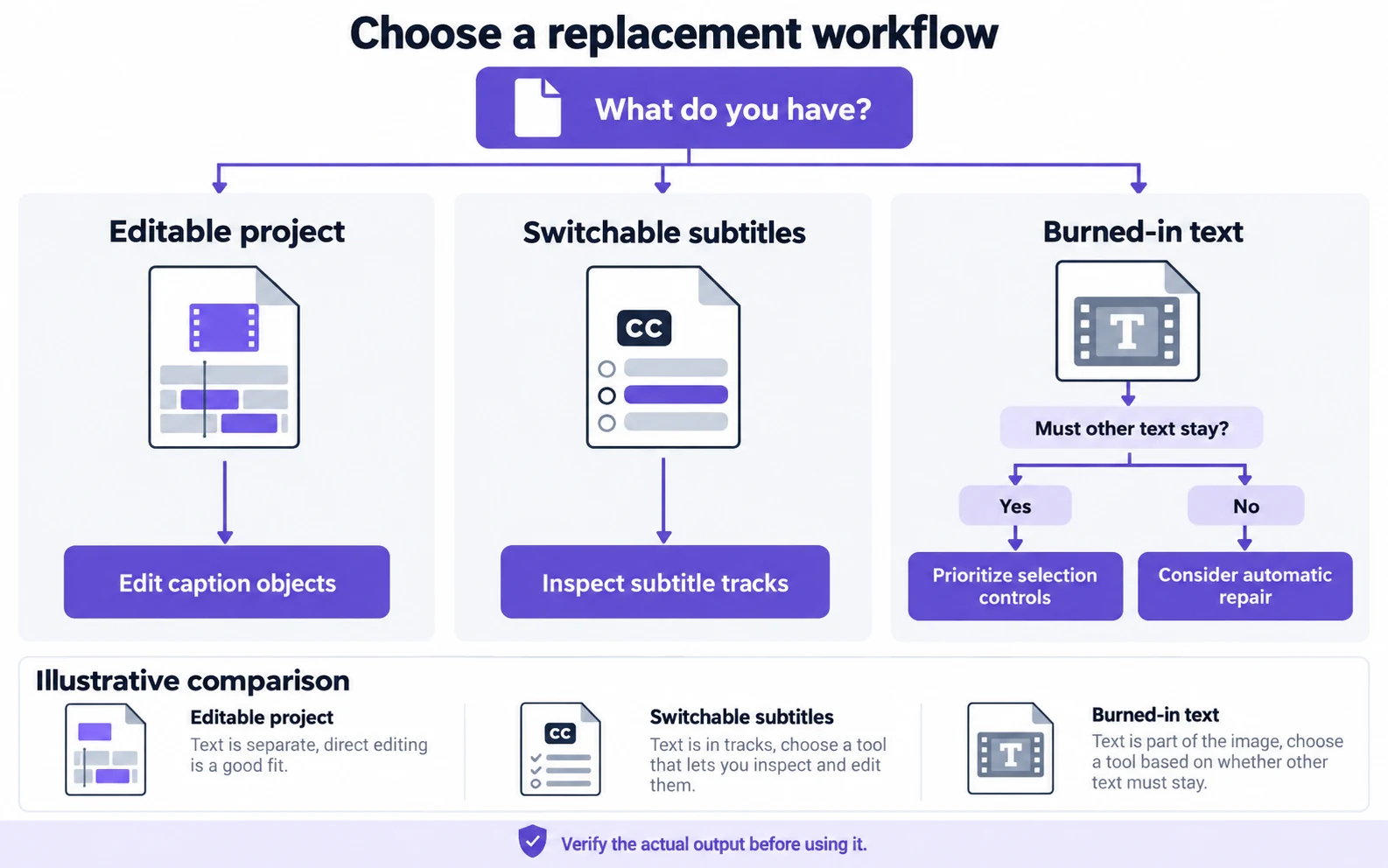
When our browser alternative fits
Use this workspace for a local MP4, MOV or WebM containing visible text you want removed. Selecting a file opens a local preview; processing begins after you review and confirm the job. No brush or prompt is required. If a brand name, translated line or background sign must remain unchanged, use a workflow with explicit selection controls instead of relying on automatic detection.
Application pour supprimer du texte d’une vidéoMove a usable source file into the new workflow
Download your source to the device you will use, then preview its beginning, middle and end. If only a small scene needs work, trim a separate copy before choosing it here. Review the included duration and credit cost before confirming. Save the result locally and inspect moving subjects near the former text. Changing services cannot recover an original file you no longer have.
Questions and answers
Is Media.io a separate AniEraser alternative?
For users following the official migration, Media.io is the destination of the platform move. Treat that as continuity of the old service; choosing this site starts a separate account and processing workflow.
Can I use this alternative on a phone?
Yes, use a browser and choose a video saved on the device. It is an online upload-and-processing workflow, not an offline mobile app. Keep the browser open while the upload finishes.
Can I transfer an AniEraser subscription or project here?
No. Bring your own local video file. Accounts, paid benefits, stored projects and credits are separate between services.
Official references
Official product references reviewed 2026-09-08. Images are conceptual illustrations. Consult the linked product for current availability and plan conditions.