
Alternatif VEED untuk menghapus teks video
Based on linked official documentation · Updated · Editorial methodology
Alternatif VEED untuk menghapus teks bergantung pada apakah Anda masih memiliki proyek keterangan. Jika kata-kata dapat diedit, hapus di sumbernya. Jika Anda hanya memiliki video yang diratakan, tentukan apakah akan memotong, menutupi, atau mencoba memperbaiki gambar di bawahnya.
Published byRemoveSubs· Fitur produk telah ditinjau berdasarkan dokumentasi resmi yang terhubung.2026-09-08· Rekomendasi mencerminkan kesesuaian alur kerja, bukan peringkat kualitas atau kecepatan yang diukur.
Choose the change you want in the finished picture
Keep the original editor for editable captions and use a cover or crop when that suits the composition. Try our automatic repair when the lettering is burned in and you want to retain the frame without adding a visible cover.
Swipe the table to compare both workflows →
| Your requirement | VEED | RemoveSubs |
|---|---|---|
| Delete project captions | Official FAQ allows deleting captions previously added in VEED. Source ↗ | Processes a saved video; does not edit VEED projects. |
| Hide words inside a clip | Official text-removal instructions use cropping or covering elements. Source ↗ | Estimates the picture beneath detected text. |
| Add a replacement overlay | Official guide describes shapes, logos and subtitle backgrounds as covers. Source ↗ | No overlay editor; download and continue editing elsewhere. |
Use the project when captions are still editable
VEED’s official FAQ distinguishes captions added in VEED from text that is already inside the uploaded picture. If you can select the caption object in the original project, remove it there and export a new copy. You avoid estimating any hidden background. If deleting the object leaves another line of text behind, inspect whether that line belongs to the source video.
VEED official remove-text guide: crop, cover and editable captions ↗
Cara menghapus subtitle video media sosialCover or crop when it fits the composition
The linked VEED guide walks through covering text or cropping it out. A solid card can be useful when you want a new title in the same position; a crop can work when the discarded edge contains nothing needed in the edit. Decide using the final aspect ratio and the subject’s position. Neither method reveals the original detail beneath the letters.
VEED official remove-text guide: crop, cover and editable captions ↗
Hapus subtitle video tanpa cropUse AI repair for a flattened clip without a cover
For burned-in subtitles across a face or a lower-third label inside the composition, cropping may discard too much of the frame. Automatic repair offers a different approach: estimate the covered area from the video. Our workspace accepts a saved MP4, MOV or WebM and does not require a selection mask. Inspect faces, hands and background edges because estimated detail can be imperfect.
Hapus subtitle permanen di video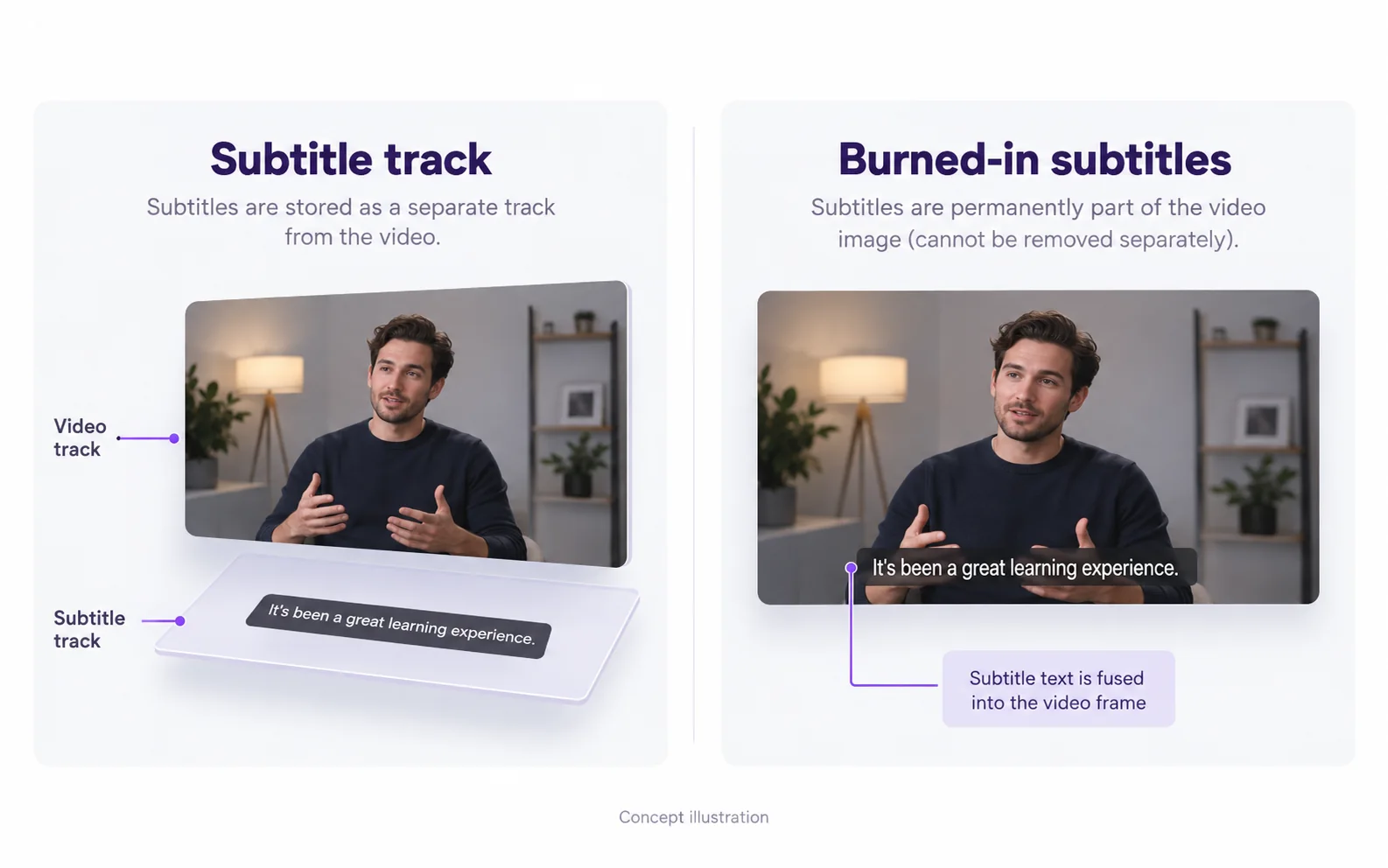
Return to editing after the cleanup
Keep the source clip, the processed output and the editable project as separate files. After approving the cleanup, import the output into your editor and add replacement titles as editable objects. Check the complete export for audio continuity, aspect ratio and caption timing. This site provides the removal step; it does not replace a timeline editor for arranging scenes or captions.
Questions and answers
Can deleting a subtitle object erase words in an MP4?
Only the editable object is removed. Words already encoded into the MP4 frames remain and need a picture-editing method.
Does VEED’s linked text-removal guide describe AI inpainting?
The workflow documented on that page uses crop and cover tools. This statement is about the linked workflow, not a claim that every other VEED product has the same capabilities.
Can this alternative remove text without cropping?
The automatic repair workflow does not ask you to crop out the subtitle area. It estimates the covered picture, so keeping the frame does not guarantee unchanged texture or perfect detail.
Official references
Official product references reviewed 2026-09-08. Images are conceptual illustrations. Consult the linked product for current availability and plan conditions.