
動画の文字消しに使えるMedia.ioの代替ツール
Based on linked official documentation · Updated · Editorial methodology
Media.ioの代替は、テキストをどのように識別したいかに一致させる必要があります。 特定の領域が重要な場合は、選択ベースのワークフローを使用してください。 サポートされているローカルビデオ内の、マスクを描画したり、プロンプトを書き込まないように自動ブラウザツールを使用してください。
Published byRemoveSubs· 製品の機能は、関連する公式ドキュメントと比較されました。2026-09-08· 提案は、ワークフローへの適合を反映しており、測定された品質や速度のランキングは提供されていません。
Choose by the control you need
Prefer Media.io’s documented modes when you want to mark a target or deliberately obscure it. Our workspace suits an automatic pass over visible video text. It does not offer a brush, prompt, protected area or blur mode.
Swipe the table to compare both workflows →
| Your requirement | Media.io | RemoveSubs |
|---|---|---|
| Mark an exact target | Basic Model uses a brush; AI Model accepts a description. Source ↗ | Automatic detection; no mask or text prompt. |
| Hide rather than reconstruct | Gaussian Blur obscures a selected box. Source ↗ | AI repair estimates the covered picture; no blur overlay option. |
| Choose an input | The official web guide lists MP4 and MOV, up to 15 minutes. Source ↗ | MP4, MOV and WebM; account file-size and credit limits apply. |
Match the mode to the visible overlay
Media.io’s current watermark-remover guide covers logos, text overlays and timestamps and documents three selection modes. For a timestamp in one corner, choosing a target gives you a way to describe the intended edit. For a strip of subtitles across a clip, automatic detection can reduce selection work. Having fewer controls is useful only when their absence fits the job.
Media.io official video watermark remover: modes and supported input ↗
動画に重なった文字を消すSeparate the target area from the time range
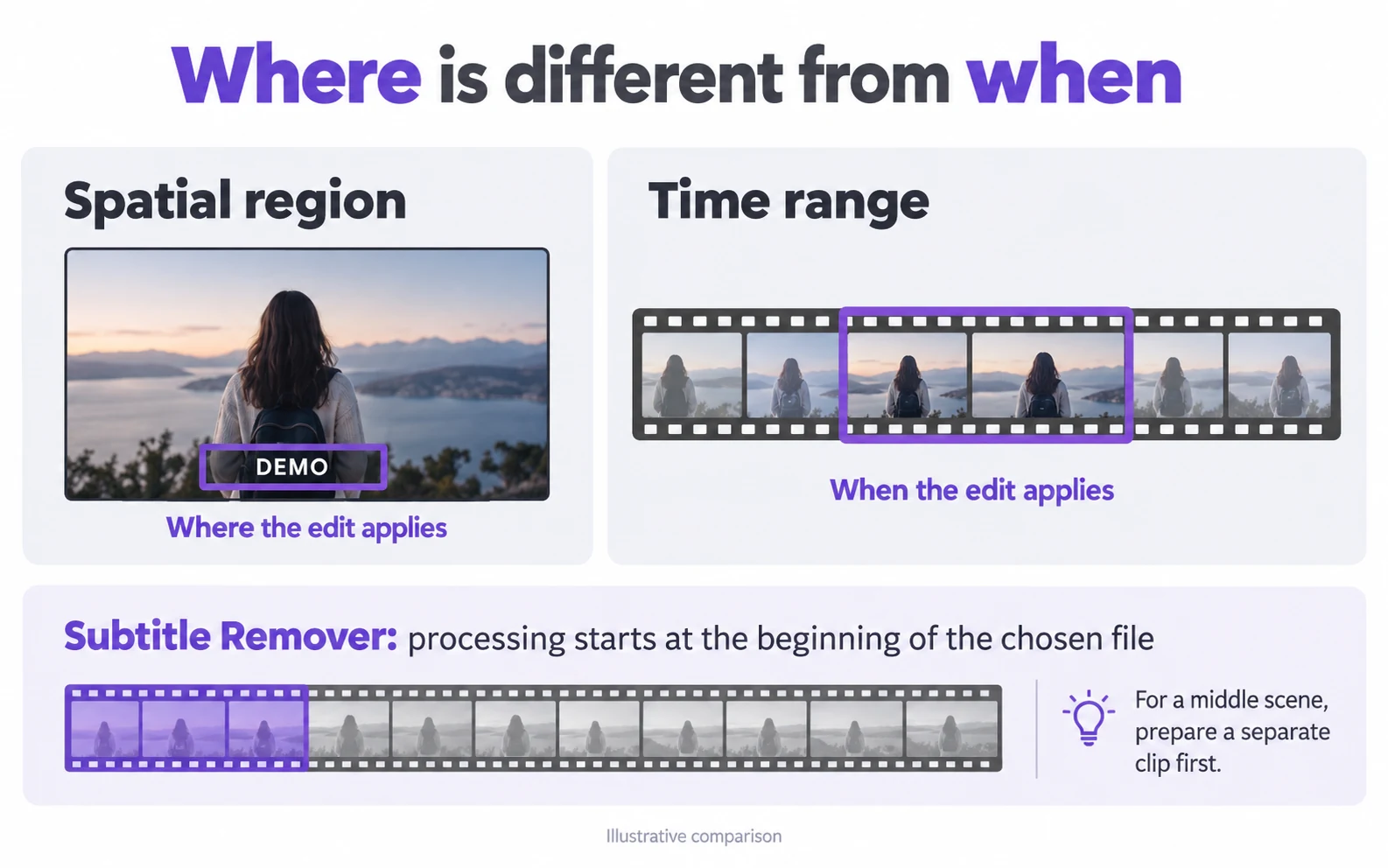
A region identifies where an edit applies; a time range identifies when it applies. Media.io’s Video Eraser documentation describes a brush-and-timeline workflow. Here, the supported processing range starts at the beginning of the chosen file. To work on a scene in the middle, trim it into a new clip first. Our workspace shows the covered duration before you commit.
Media.io Video Eraser: brush and timeline workflow ↗
Choose repair only when you need the picture underneath
意図的なぼかしまたはカバーは、表示される編集の決定です。文字を推定の背景で置き換えることを試みる修復は、細部を変化させる可能性があります。デモンストレーション画面、製品ラベル、またはテキストの背後に顔を含む映像の場合、参照コピーを保持し、出力でこれらの機能を検査します。利用可能な場合、元のクリーンなエクスポートを使用してください。
ぼかさずに動画の文字を消すUse our automatic alternative from preview to download
Choose a local file below, review its preview and confirm the included duration and cost. After processing, play the output at normal speed, then pause near letter edges and moving subjects. Check important text elsewhere in the picture too: this tool has no keep-selected-text option. Download the accepted output and return to your editor if you need new captions or additional cuts.
Questions and answers
Can I tell this tool which sentence to remove?
No. It detects visible text automatically. Use a selection-based editor when the job requires removing one sentence while keeping nearby lettering.
Does Media.io Gaussian Blur restore the covered background?
No. Its official guide describes an obscured area. Reconstructing a background is a different result from hiding a mark with blur.
Does this page compare the two services’ prices or speed?
No. It compares documented controls with this site’s available workflow. Our current cost appears before processing; no matched speed, price or output-quality benchmark is presented.
Official references
Official product references reviewed 2026-09-08. Images are conceptual illustrations. Consult the linked product for current availability and plan conditions.