
For a YouTube video file, distinguish closed captions shown by the player from a lower third or subtitle rendered into the footage.
YouTube closed captions belong to playback. A name bar or title inside a saved video belongs to the picture. Use a local source file and choose the edit that matches that distinction.
Closed captions belong to playback
If the words disappear with the player’s caption switch, image repair is not the first step. For your own editing project, check its subtitle and export settings before creating another video copy.
Como remover legendas de um vídeo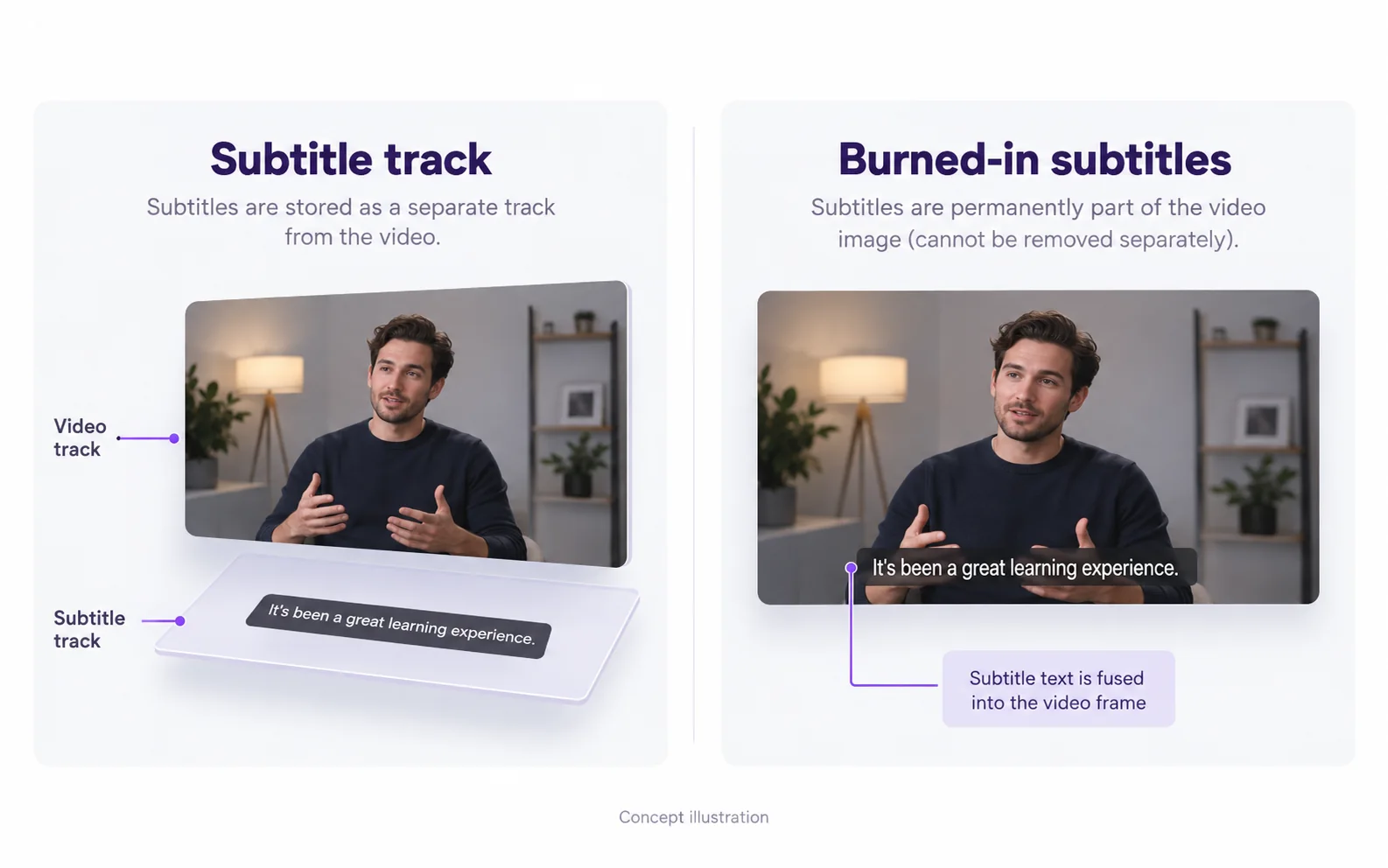
Prepare a landscape interview or tutorial
Keep a distinct source and result so you can compare the exact clip used in your next edit.
Confirm the text source
Play the local file with subtitles disabled. If the lower third remains, it is an image-editing task.
Include the graphic’s entrance and exit
Prepare a scene that covers the complete name-bar animation, not just its settled position.
Inspect the subject near the graphic
Compare microphone edges, clothes and hands before and after the bar crosses them.
Verify the new video before upload
Reopen the saved output and confirm its duration and audio. Processing here does not alter an existing YouTube upload.
Lower thirds belong to the picture
A speaker name bar, timestamp or title card that remains in the saved frames needs a visual edit. The interview examples show why large covered rectangles deserve more inspection than a narrow caption line.
Remover texto sobreposto no vídeoChoose a local file
Use a video exported from your own project or otherwise available for you to edit. The workspace accepts a file, not a YouTube URL, and it does not alter an existing upload on your channel.
Review landscape details
On a wide frame, check faces, microphone edges and background lines around the text. Play across the lower third’s entrance and exit. A repaired still frame does not show how the whole animation behaves.
Resolve the remaining mismatch
Check which part of the workflow needs a different action.
The YouTube player still shows closed captions
Likely cause: The player’s subtitle display is separate from the local video picture.
What to do: Use the platform’s caption controls for viewing. Uploading a video here does not change those settings.
The output contains only the opening
Likely cause: The confirmed range may have covered only the beginning of the source.
What to do: Check the task duration. Trim the intended scene before selecting it for a new job and review the cost before confirming.
Vídeo original e resultado
Compare the original and result as the video plays.
Questions and answers
Will this turn off YouTube closed captions?
No. YouTube closed-caption display is controlled in its player. This workflow repairs text in a local video image.
Can I upload a file exported from my own channel project?
Yes, if the exported file is in a supported format and within the upload limits. Review the actual preview before confirming processing.
Can I add a different caption style afterward?
Yes. Import the checked result into your editor and add the new text there. Keep the new captions editable; the removal workflow does not create or translate them.