视频去文字

视频去文字

Remove burned-in subtitles, captions, and unwanted text from your video. Make room for your next edit.

Preview your clip first. Confirm the cost before processing.

原视频处理结果

Animated preview using actual example frames.

Still preview
MP4、MOV、WebM · 最高 1080pStart with your video

Your next clean clip starts here.

Preview first. Confirm the cost before processing.

我的视频
Free trial & upload limits

验证邮箱后可获得 3 个试用积分。

免费账户:50MB · 付费账户:100MB

每开始一秒计 1 积分 · 最低 3 积分

What kind of subtitles are in your video?

Subtitles disappear when you turn CC off

This usually means a separate subtitle source, such as an SRT or ASS file, an embedded subtitle track, or captions supplied by the player. Turn it off for viewing, or omit the track when exporting.

Learn how to remove embedded subtitles

Subtitles stay visible

After disabling all subtitle tracks, words that remain are usually hardcoded or burned-in subtitles. AI can estimate the scene behind them, but movement and covered detail affect the result.

Remove hardcoded subtitles with AI

Explore tools · Browse removal guides

See the text removal results

Explore three kinds of on-screen text, from interview subtitles to step-by-step captions.

原视频
处理结果
Actual AI result.

为下一次剪辑,准备干净的画面。

保留想用的素材,先移除旧文字,再在剪辑软件中添加新的表达。

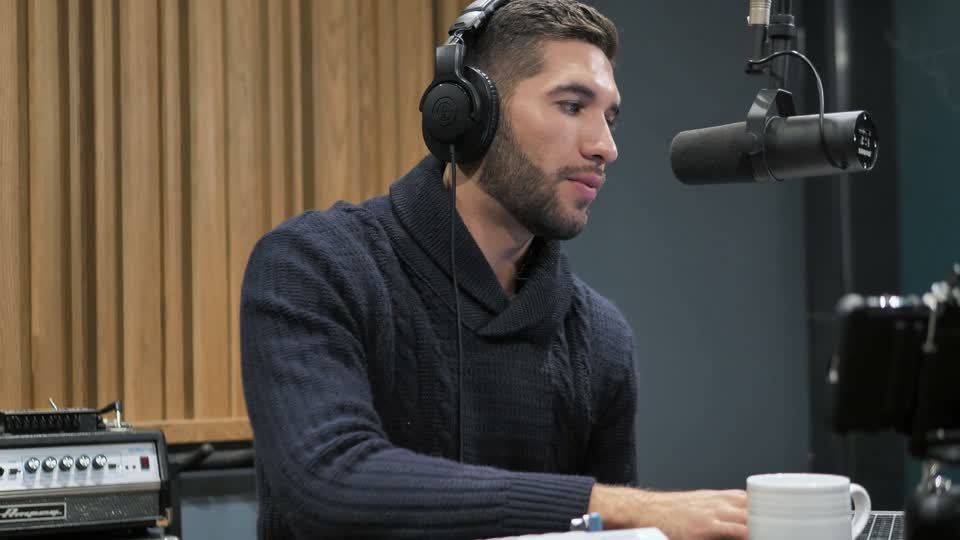
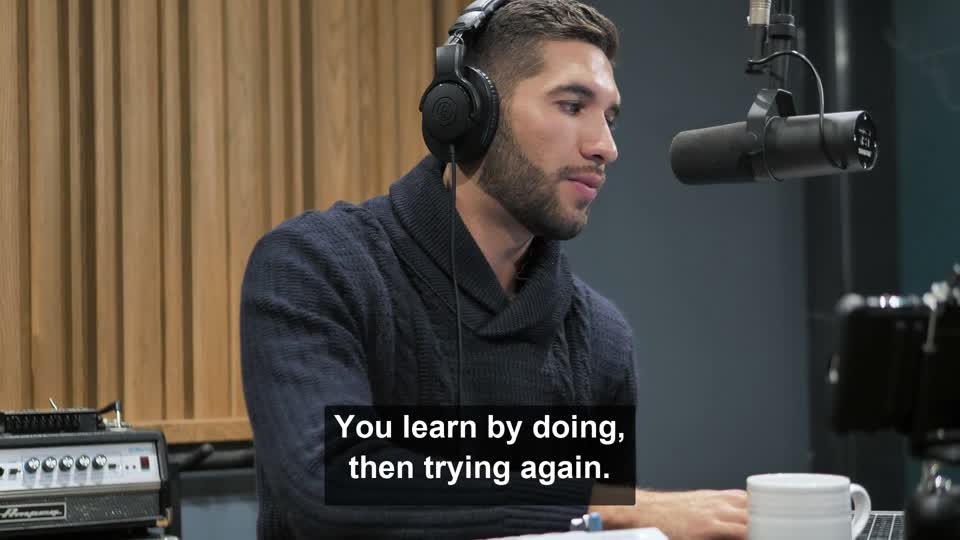
播客访谈中,两行字幕覆盖在讲话者的毛衣上。

让访谈触达新的观众

移除播客或访谈中烧录的字幕,为新语言字幕或修订后的文稿腾出画面。

下载处理结果后,在常用剪辑软件中添加新字幕。

带有大字字幕的竖屏口播视频。

重新剪辑竖屏口播

清除竖屏口播视频里的旧字幕,为下一版视频换上新的字幕样式。

重点检查大字覆盖人物或复杂背景的区域。

带有步骤说明的手冲咖啡教学视频。

更新分步教学视频

移除演示视频中过时的步骤说明,为更新教学内容做好准备。

自动处理也可能影响想保留的标签或其他文字,请检查完整结果。

Remove words from video in three steps

  1. 01

    选择视频

    Select a clip from your device to preview it.

  2. 02

    Review the clip and cost

    Confirm the processing length and credits, then start.

  3. 03

    Compare and download

    Review the repaired areas and save your result.

What replaces the removed text?

The AI video text remover reconstructs the area covered by text using the surrounding visual content. It estimates what belongs there; it cannot recover the exact pixels hidden behind the words.

Detailed backgrounds, moving subjects, and people’s edges may show smudges or other artifacts. Review the full clip when you erase text from video, especially where captions cross a face or an object.

字幕覆盖讲话者毛衣和手臂的局部特写。
原视频
同一区域移除字幕后的结果特写,显示毛衣和手臂。
处理结果

来自播客案例的同位置裁切。检查针织纹理和手臂边缘,再播放完整对比,观察运动中的效果。

播放完整前后对比

Video formats, limits, and your free trial

查看价格
Supported video
MP4、MOV、WebM · 最高 1080p
Upload size
免费账户:50MB · 付费账户:100MB
Your trial
验证邮箱后可获得 3 个试用积分。
Processing cost
每开始一秒计 1 积分 · 最低 3 积分

Not enough credits for the full video? Confirm a shorter opening clip or add credits. Only the confirmed portion is processed and downloaded.

Choose how you pay

Credit packs expire after 365 days. Subscription credits last up to 90 days with a 2x rollover cap.

Starter

For short social clips and occasional edits.

US$16.06At the 140-credit pack rate

US$14.99/month
Save US$1.07 vs. pack rate

Billed monthly · Credits issued monthly

Covers up to 225 seconds of video each month

  • 225 积分/月
  • Processing time based on your credits
  • 最大文件大小:100MB
  • 1 个并发任务
  • 30 天结果保留
Recommended

Creator

For active creators handling longer footage.

US$46.38At the 140-credit pack rate

US$39.99/month
Save US$6.39 vs. pack rate

Billed monthly · Credits issued monthly

Covers up to 650 seconds of video each month

  • 每月 650 积分
  • Processing time based on your credits
  • 最大文件大小:100MB
  • 2 个同时工作
  • 60 天结果保留

Studio

For teams and frequent production workloads.

US$121.31At the 140-credit pack rate

US$99.99/month
Save US$21.32 vs. pack rate

Billed monthly · Credits issued monthly

Covers up to 1700 seconds of video each month

  • 每月 1,700 积分
  • Processing time based on your credits
  • 最大文件大小:100MB
  • 4 个同时工作
  • 90 天结果保留

Cancel anytime · No hidden fees · Private source and result storage

Questions about removing text from video

Can I remove text from video for free?

验证邮箱后可获得 3 个试用积分。 Processing costs 1 credit per started second, with a 3-credit minimum. Trial credits let you try a short clip; longer clips require more credits.

Can it remove burned-in subtitles and captions?

Yes. It is designed to automatically detect and remove text embedded in the video image, including burned-in subtitles and captions. Results vary with the background, text size, and motion.

Can I choose which text to remove?

No. Processing is automatic. There is no box selection or option to preserve specific words. Other visible text or logos may also be affected, so review the result carefully.

Will the result look exactly like the original?

No. AI estimates the image beneath the text. Complex backgrounds, movement, and people’s edges can show artifacts. Compare the result with your original before downloading.

Do I need to install any software?

No. You can use the video text remover in your browser. Select a video for a local preview, then sign in and confirm the clip and cost before processing starts.

Which video formats are supported?

Upload MP4, MOV, or WebM, up to 1080p. Free accounts can upload files up to 50MB; paid accounts can upload up to 100MB.

What happens if I don’t have enough credits?

With at least 3 credits, you can process the beginning of the video that your balance covers. The rest is excluded from processing and the download. The exact range is shown before you confirm. Below 3 credits, add credits before starting.

What happens if processing fails?

Credits charged for a failed processing job are refunded automatically. Open My Videos to check the job status and your balance before trying again. A connection interruption alone does not mean processing has failed.

Ready to remove unwanted text?

选择视频